Welcome to the modern jungle — where “phishing” isn’t about worms and tackle boxes, and “the cloud” isn’t where angels hang out.
But here’s the good news: just like you mastered air fryers, FaceTime, and Costco self-checkout, you can absolutely master digital safety — with confidence, sparkle, and a little sass.
🧠 Before Wi-Fi, There Was Star 69
It’s hard to believe that I actually came before the internet!
Back in the day, Star 69 was the height of high-tech espionage — the ultimate way to find out if your boyfriend was out on a date. That, or some light “reconnaissance work” involving bushes and bad decisions.
“Trolling” used to mean flipping through old yearbooks and photo albums, not anonymous online comments. And don’t even get me started on the Dewey Decimal System — if you couldn’t navigate it, you weren’t getting past the library doors.
Shopping was a sport. You had to plan a whole day, pack snacks, and hit the mall in comfortable shoes. Everything was tried on, squeezed, or sniffed before purchase. Buying something “sight unseen”? That was called gambling, not Prime delivery.
Now? You can redecorate your living room, order a new serum, and FaceTime your nephew — all before finishing your latte. The convenience is amazing, but sometimes I have to laugh.
The other day I asked my nephews a question — a simple one, to inspire some good old-fashioned cognitive thinking. When they didn’t know the answer, they didn’t reach for a book… they screamed at Alexa.
Times have changed. We used to wonder. Now we just Wi-Fi.
🕵️♀️ The Real Risks (Without the Panic)
When we were younger, a “scam” involved a guy selling fake gold chains out of a trunk.
Now? Scammers hide behind fake emails, texts, and even “romantic” Facebook messages from retired generals with suspiciously perfect grammar.
✉️ Phishing (The Bad Kind of Fishing)
Looks legitimate — same logo, same tone — but the sender’s address is something like amzn-support@cheapdeals.ru. Red flag.
If an email is urgent, emotional, or asks for private info — delete first, doubt later.
StaySafeOnline.org explains it perfectly.
💻 Tech Support Scams
“Hello ma’am, your computer has a virus.”
If Microsoft really wanted to talk, they’d send balloons and a coupon. Hang up.
☕ Public Wi-Fi Problems
That cute café with jazz and latte art? Hacker heaven. Never log into your bank or health portal there unless you’re using a VPN.
🧾 Oversharing on Social Media
Posting “Off to Cabo for a week!” is adorable — until a hacker guesses your password (Cabo2022! anyone?).
Pro tip: post the photos after you’re home, tanned and un-hacked.
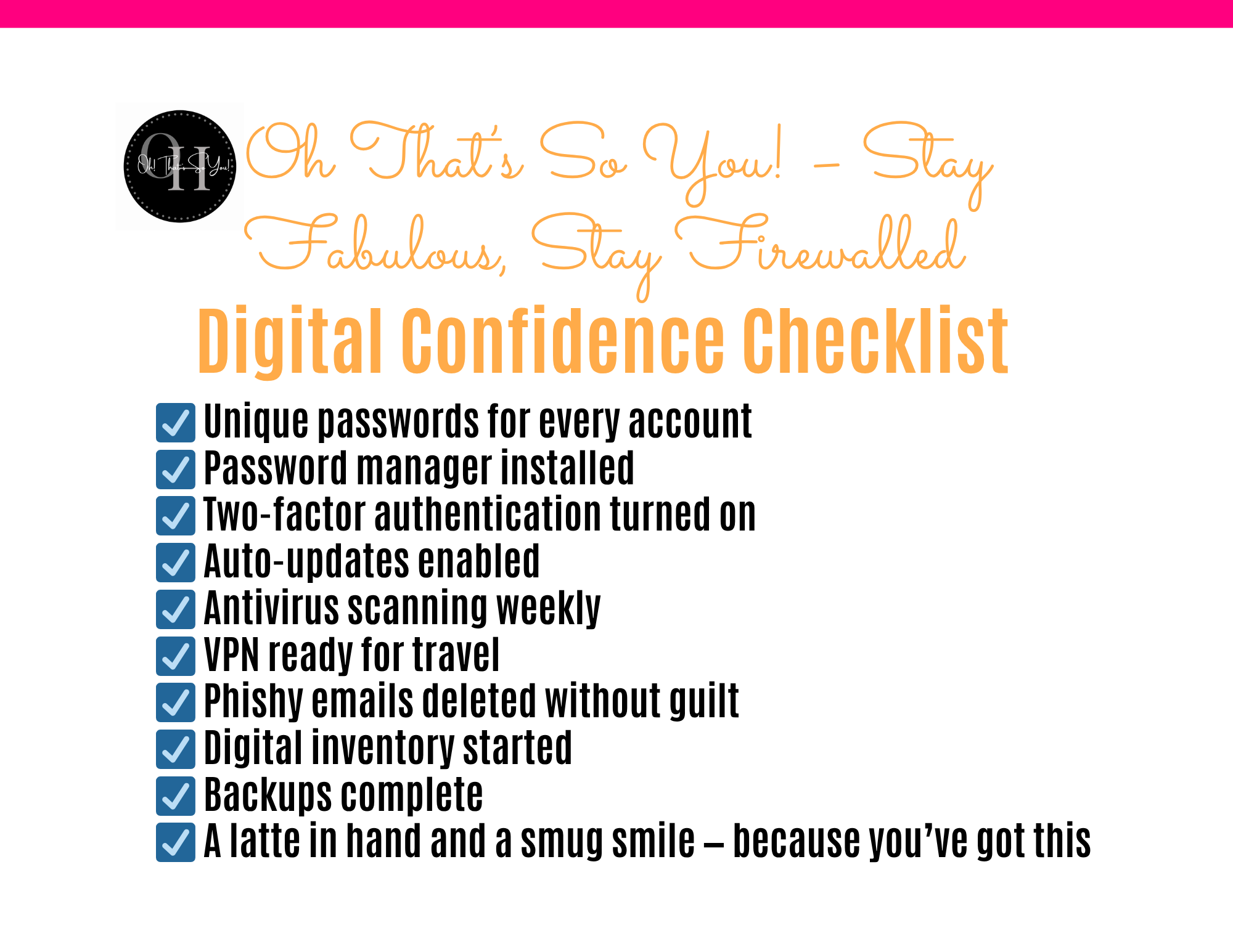
🔐 Five Habits That Make You a Digital Diva
- 1️⃣ Use a Password Manager – If your password is still Fluffy123, it’s time for an upgrade. A manager like Dashlane or 1Password remembers everything so you don’t have to — like a digital butler with better memory.
- 2️⃣ Turn On Two-Factor Authentication – Think of it as a velvet-rope club for your accounts. A password plus a secret code = double security, double fabulous.
- 3️⃣ Keep Software Updated – Those pop-ups are your laptop begging for self-care. Each update is a mini spa day that scrubs away hacker grime.
- 4️⃣ Use a VPN on Public Wi-Fi – VPNs (like NordVPN or ExpressVPN) are invisibility cloaks for your browsing. They say “mind your business” — politely.
- 5️⃣ Trust Your Gut – If it feels off, it is off. That same intuition that spotted bad boyfriends works online, too.
🛡️ The Glam Tools That Keep You Safe
| Tool | Shop or Visit | Why You’ll Love It | Bonus Tip |
|---|---|---|---|
| Dashlane / 1Password | Dashlane / 1Password | Secure, stylish password storage | Treat it like your digital closet — coordinated and calm. |
| NordVPN / ExpressVPN | Nord VPN/Express VPN | Cloaks your connection on the go | Perfect for café scrolls or airport lounges. |
| Bitdefender / Malwarebytes | Bitdefender / Malwarebytes | Scans and blocks nasties | Weekly runs = healthy digital glow. |
| Ad-blocker (uBlock Origin, AdGuard) | Ad-blockers | Stops pop-ups | Bye-bye fake “You won a cruise!” ads. |
| CISA Tip Sheet | cisa.gov | Free safety guide for older adults | Download it here. |
Disclosure:
Some of the tools and resources in this guide are apps or paid software programs that may require a monthly or annual subscription. I’ve included them because they’re genuinely helpful for building digital confidence, and many offer free trials or basic versions to get you started. Always review pricing and privacy details before purchasing or subscribing.
🧩 Protecting Your Digital Legacy (Because You’re a Legend)
You’ve built a lifetime of memories — and now a digital life, too.
Let’s protect both.
Back Up What Matters:
External drives or cloud storage like Google Drive and Dropbox keep your treasures safe – even when Gus steps on your laptop again.🐾
Create a Digital Inventory:
List your logins, photo backups, and subscriptions. Print one copy for your safe or give it to a trusted person.
Decide Your Digital Wishes:
Would you like your Facebook to become a memorial page? Your blog archived? Write it down.
Facebook’s Legacy Contact feature is a good start.
💬 Fabulous, Fearless & Firewalled
You don’t need to be a techie to be tech-smart — just curious, confident, and maybe a little caffeinated. Being fabulous after 50 isn’t just about cozy throws and pumpkin candles — it’s about freedom. Freedom from fear, clutter, and cyber-nonsense. Because nothing says fabulous like a woman who knows her worth and her Wi-Fi password. So go ahead — pour that latte, wink at Gus, and scroll with confidence.
You’re not just online…You’re securely, stylishly, Oh That’s So You online. 💖
💅 Putting It All Together
If this all feels overwhelming, start small. You don’t need to do everything at once. Think of your Digital Confidence Starter Kit like redecorating your home — one cozy corner at a time.
- Pick ONE tool this week. (Start with a password manager — easiest win!)
- Next week, add antivirus software.
- By next month, you’ll have your entire digital world wrapped up tighter than your favorite throw blanket.
🌐 Trusted Resources
Official Resources Worth Bookmarking
| Resource | What It Offers | Link |
|---|---|---|
| CISA | Free security tip sheets for older adults | cisa.gov |
| National Cybersecurity Alliance | Awareness and scam alerts | staysafeonline.org |
| AARP Technology Section | Senior-friendly tutorials | aarp.org/personal-technology |
| National Council on Aging | Fraud prevention and education | ncoa.org |
Feisty Tip:
These are your truth-tellers. When you see a wild rumor online (“Venmo is stealing your retirement funds!”), check here first.
This website contains affiliate links, which means as an Amazon Associate, Me and Gus may earn a small commission if you purchase through our links. There’s no additional cost to you, and we only recommend products we genuinely believe in.

Follow me on Pintrest!